
Connecting Street to Moverly: set up the integration
Connecting Street to Moverly lets you bring your properties, sellers and buyers straight across, so you do not have to add them by hand. To set it up you create an API key in your Street account and add it to Moverly. It only takes a few minutes.
1. Go to Applications in Street
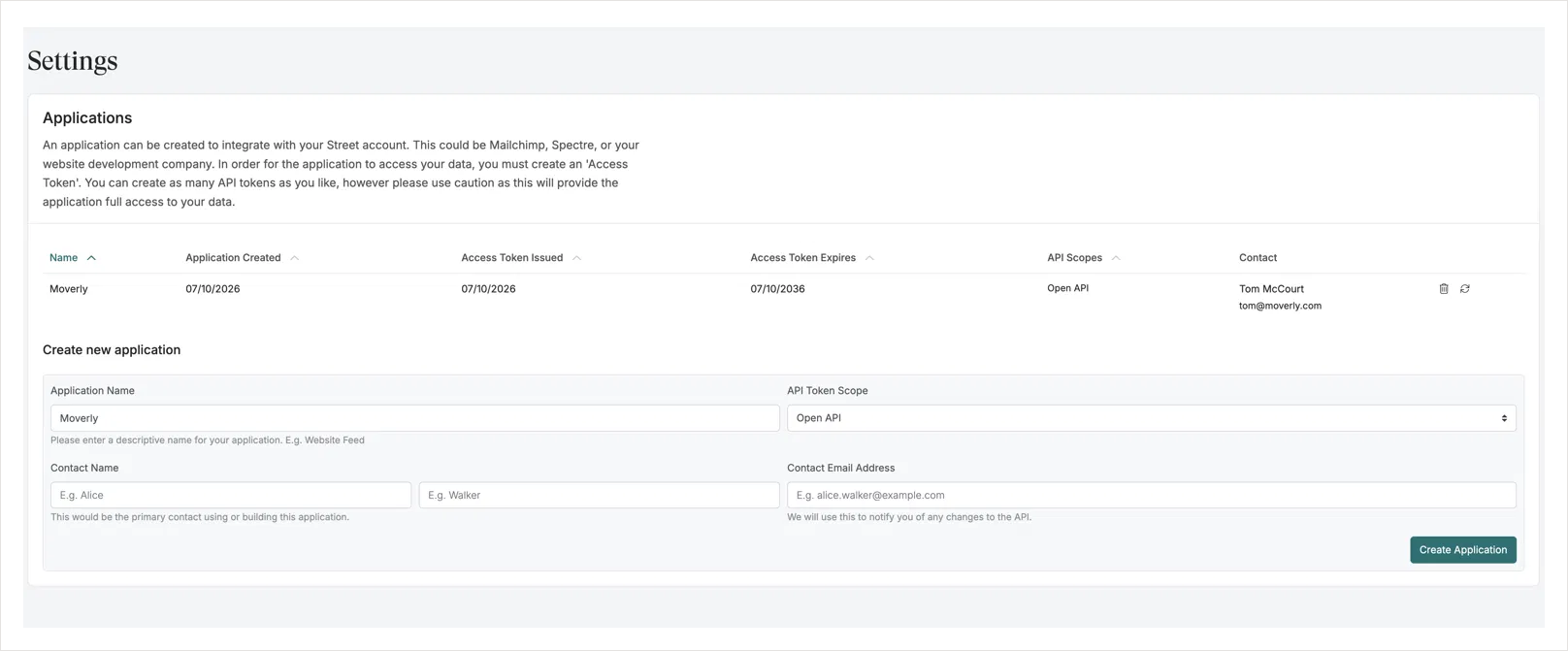
In Street, head to street.co.uk/agent/settings/api/tokens, or go to Settings, then Account Administration, then Applications.
2. Create the application
Under Create new application, enter these details:
Application Name — Moverly
API Token Scope — Open API
Contact Name — your first and last name
Contact Email Address — your email address
Then click Create Application.
3. Copy the API key
Copy the API key Street generates. The Moverly application will then appear in your Applications list.
This key gives full access to your Street data, so keep it private and only enter it in Moverly.
4. Add it in Moverly
In Moverly, go to your Integrations settings. Next to Street, click Add API key, paste the key into Account token and click Connect.
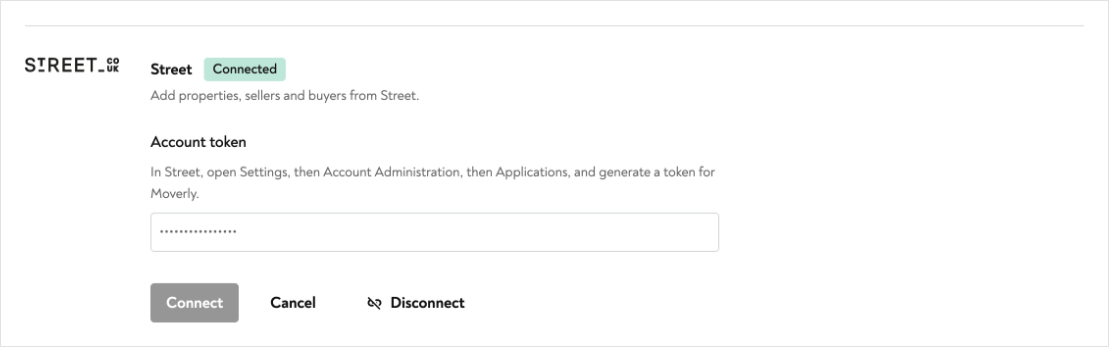
Street will show as Connected once the integration is set up, and you can start bringing your properties, sellers and buyers across from Street.