
Expanded conveyancer panel control: your DSR panel, your rules
If you use Digital Sale Ready, you now have far greater control over your conveyancer panel. You can decide which conveyancers are offered to your sellers and buyers, set your preferred firms, and change it all whenever you need to. Any change takes effect straight away.
Where to find it
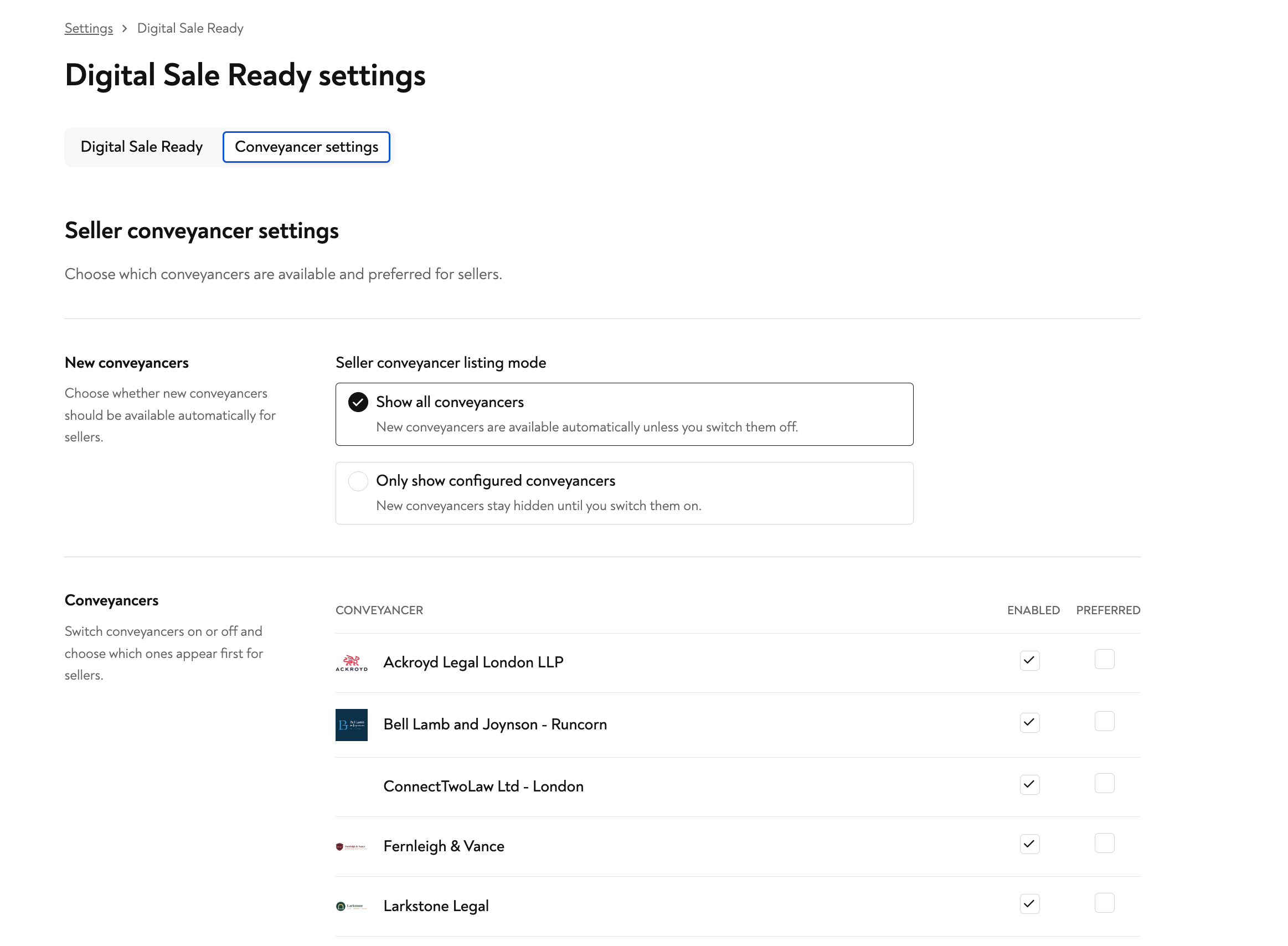
Go to Settings, then Digital Sale Ready, and open the Conveyancer settings tab. Here you can manage a separate panel for your sellers and for your buyers, so each side of the transaction can be tailored to your agency.
Choose how new conveyancers appear
At the top of the panel you decide what happens when a new conveyancer joins the network:
Show all conveyancers - new conveyancers are available to your clients automatically, unless you switch them off.
Only show configured conveyancers - new conveyancers stay hidden until you choose to switch them on.
Pick whichever suits how closely you want to manage your panel.
Enable, disable and prefer conveyancers
The Conveyancers list lets you switch firms on or off, and choose which ones appear first for your clients:
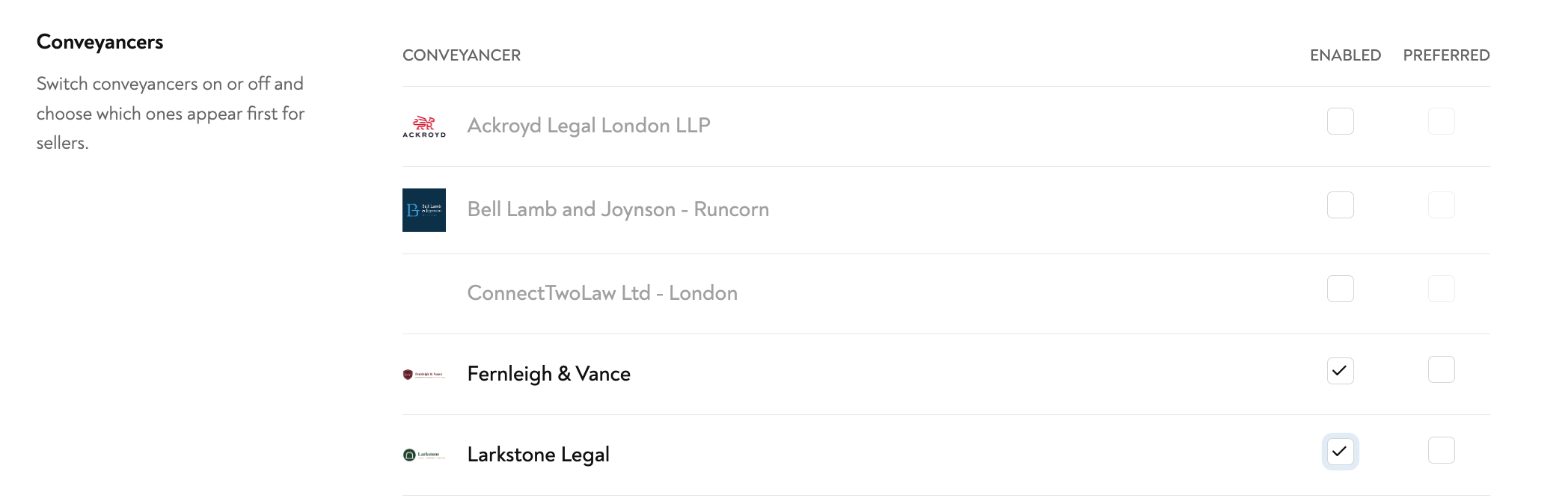
Enabled - tick this to make a conveyancer available to your clients. Untick it to remove them from the list your clients see.
Preferred - mark a firm as preferred to promote it to the top of the list, so it is the first option your clients see.
Conveyancers that are switched off appear greyed out, so you can always see the full network while keeping your live panel focused on the firms you want.
Tailor it to your agency
Because the seller and buyer panels are managed separately, you can shape each one around your needs, whether that is your preferred firms, regional coverage or specific client requirements. There is no need to contact us to make a change, and updates apply immediately.