
Agent Assist: help clients in person, without an email
Agent Assist: help clients in person, without an email
Not every client is confident online, and some do not have an email address to hand. Agent Assist lets you guide a seller or buyer through the whole process in person, at the branch, so nobody gets left behind. You can complete consent, payment, personal details and identity checks together on your device, without sending an invite email.
When to use it
Use Agent Assist whenever the client is with you and either is not comfortable doing things online, or cannot provide an email address. Everything you record while assisting is attributed to your account on the audit trail, so there is a clear record of who completed each step.
Starting an invite without an email
When you invite your vendors, each invite has a menu next to the email field. Select the three dots, then Assist in person without email.
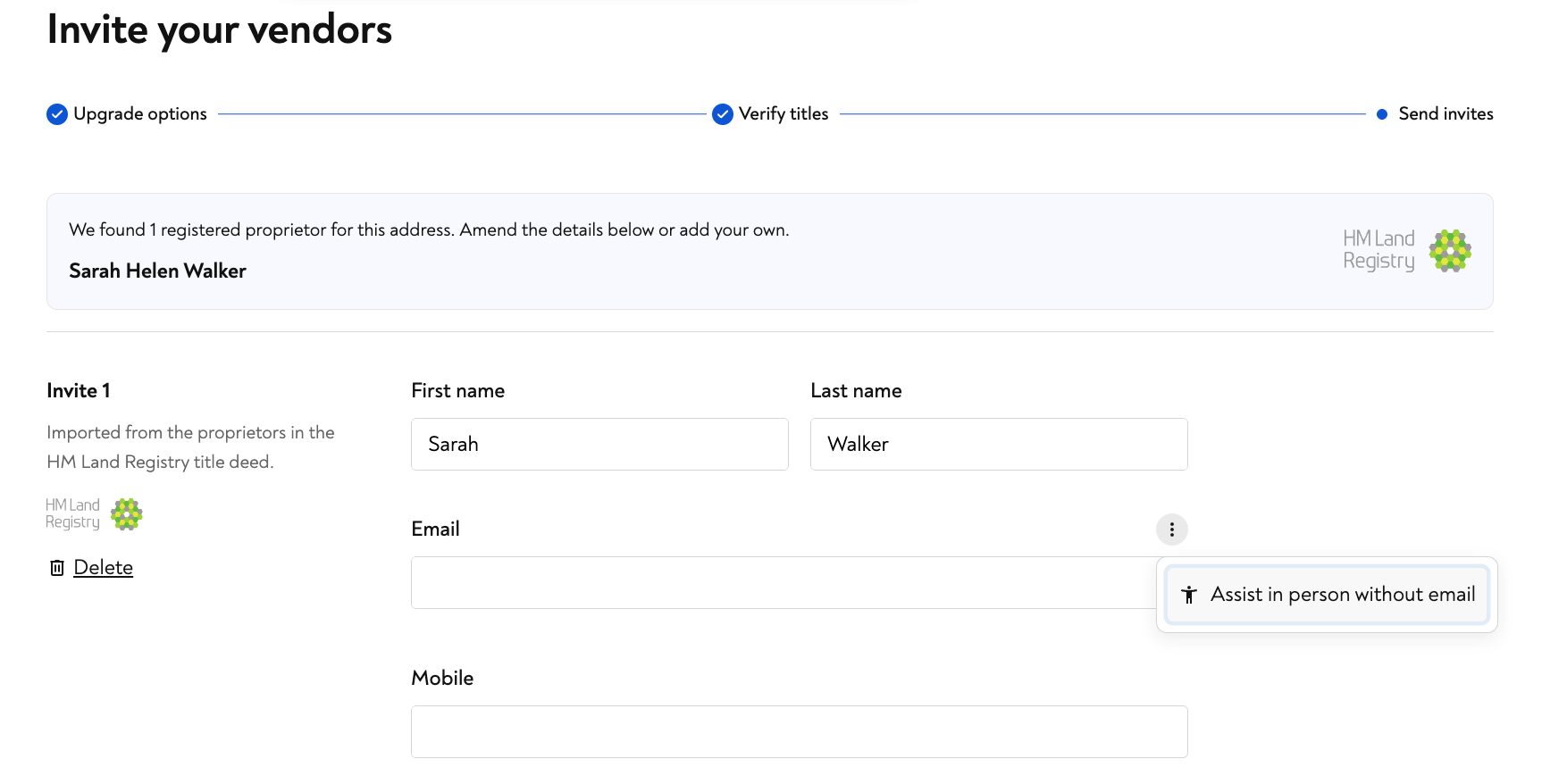
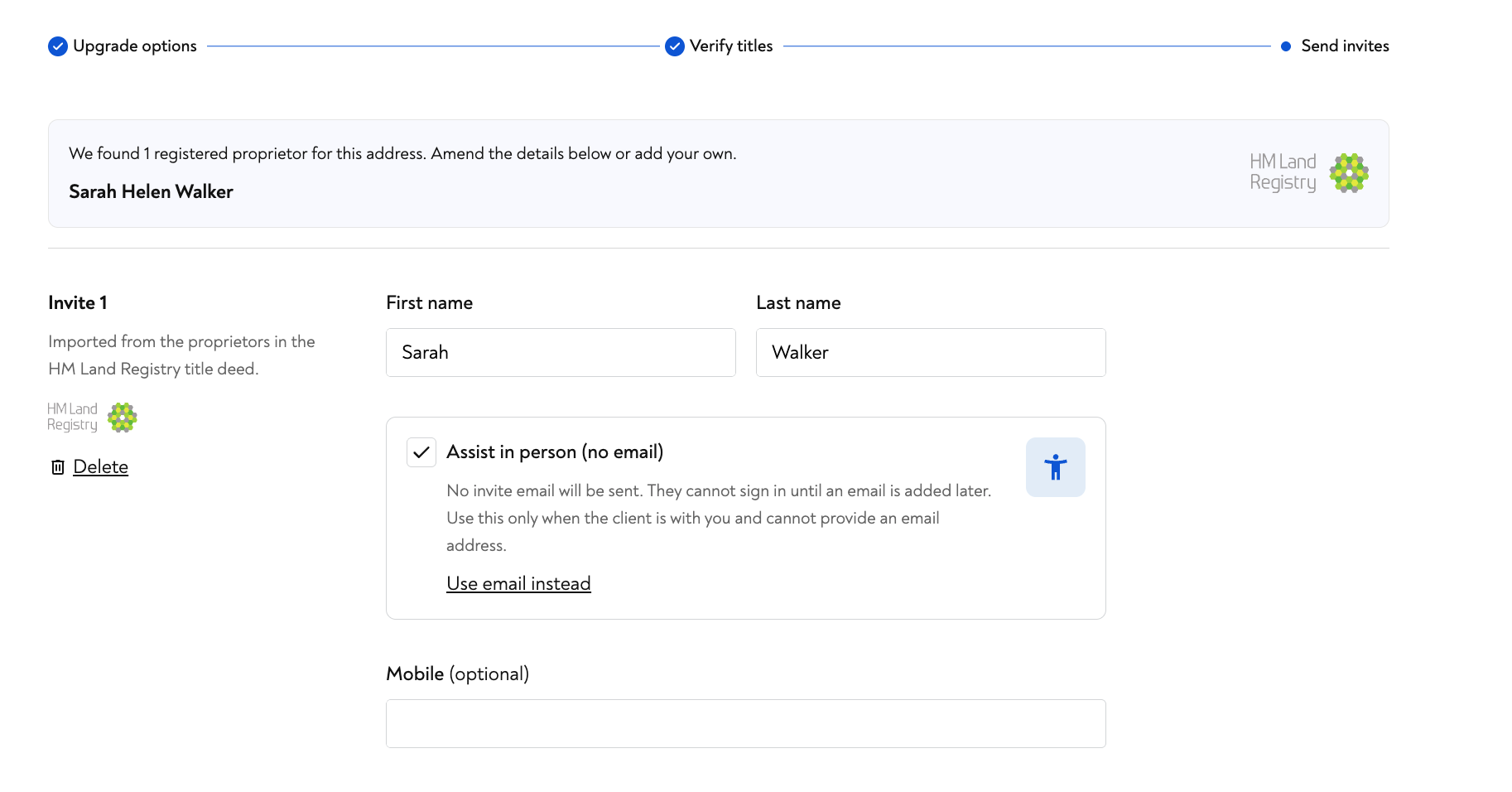
The invite switches to Assist in person (no email). No invite email will be sent, and the client cannot sign in until an email is added later, so only use this when the client is with you and cannot provide an email address. If you do have an email after all, select Use email instead to switch back.
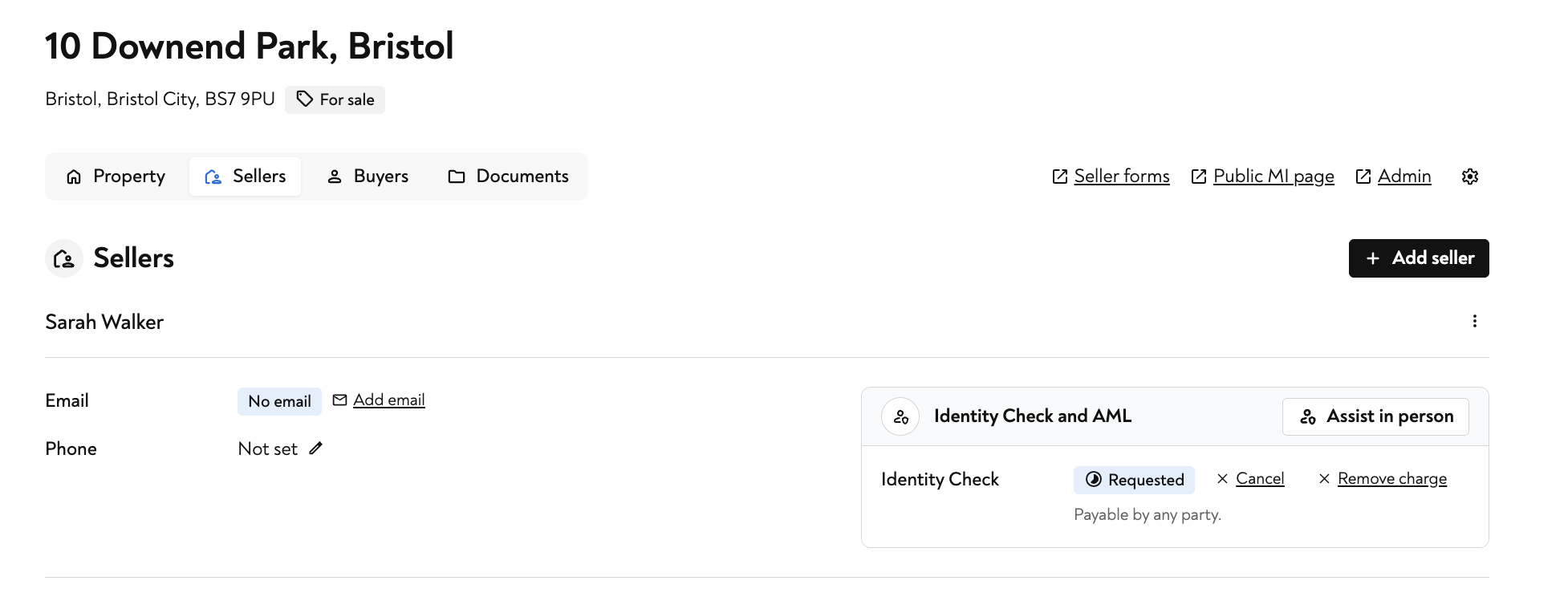
Assisting with an Identity Check and AML
For a client who has already been added, open the Sellers or Buyers tab. On the Identity Check and AML panel, select Assist in person to complete their check with them on your device.
The in person steps
Agent Assist walks you through four steps together with the client: Consent, Payment, Personal details and Identity Check.
At the Consent step you will see a reminder that you are signed in as Moverly support, so anything you record is attributed to your account on the audit trail, not the estate agent. Before you continue, confirm the two consent statements:
The client is present and agrees to pay - confirms the client is with you, agrees to pay the listed charges, and will enter their card details on this device.
The client is present and agrees to an Identity Check - confirms the client is with you and agrees to complete an Identity Check on this device.
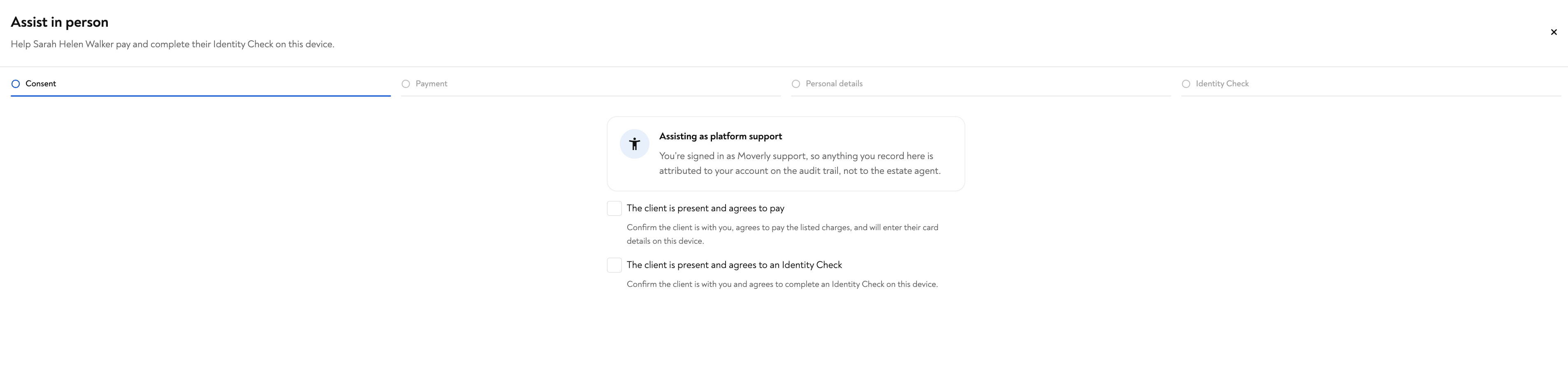
Once consent is given, you continue through Payment, Personal details and the Identity Check with the client alongside you.
Assisting with Material Information
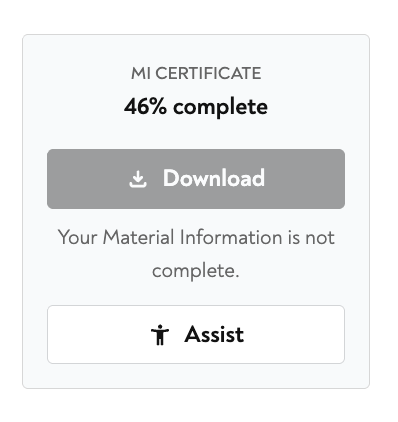
Agent Assist is also available on the Material Information certificate. Where a client's certificate is not yet complete, select Assist to help them finish the outstanding questions.
In short
Agent Assist is the simplest way to get every seller and buyer started, whatever their comfort with technology. You handle consent, payment, personal details, identity checks and Material Information together, in person, and everything you do is recorded against your account for a clear audit trail.